14.1. Adjusting the Amount of Training Data #
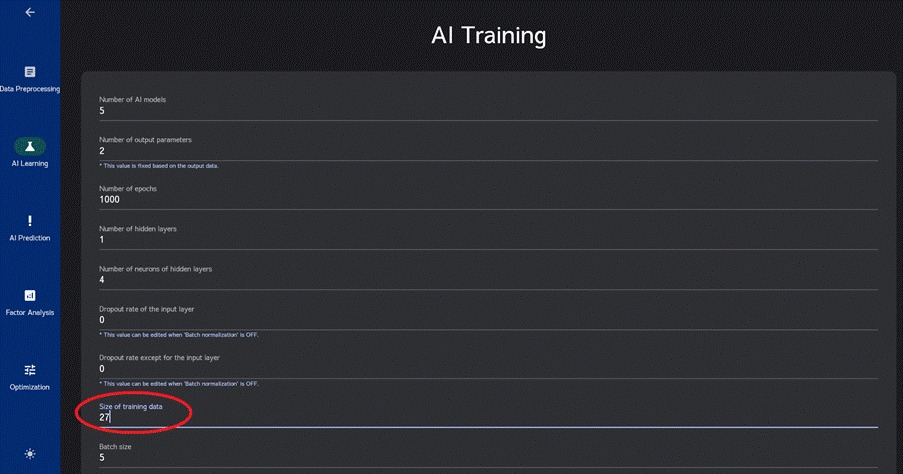
By default, in AI training, 90% of the uploaded data is used for training, and the remaining 10% is set aside for validation to evaluate the prediction accuracy of the AI model (the number of training data is displayed in the “Size of training data” field).
For instance, if you have uploaded 30 data points, the number of training data will be 27, leaving only 3 data points for validation. In such cases, there is a risk that the AI model might be evaluated as highly accurate based on just those 3 validation data points, even if it’s not actually the case.
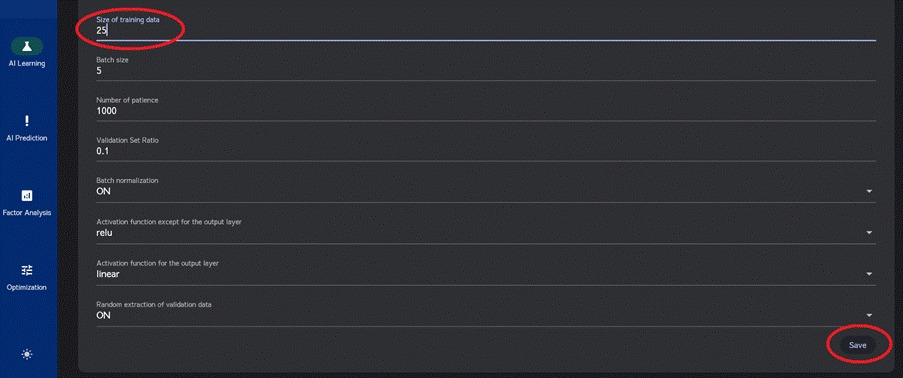
To address this, it is recommended to leave at least 5 data points for validation. You can achieve this by adjusting the “Size of training data” value (for example, if you have 30 data points, you can input 25 in the “Size of training data” field) and then clicking “Save” before running “Auto-tuning for training.” This will ensure that hyperparameter tuning takes place according to the specified number of training and validation data points.
14.2. Ensemble Analysis #
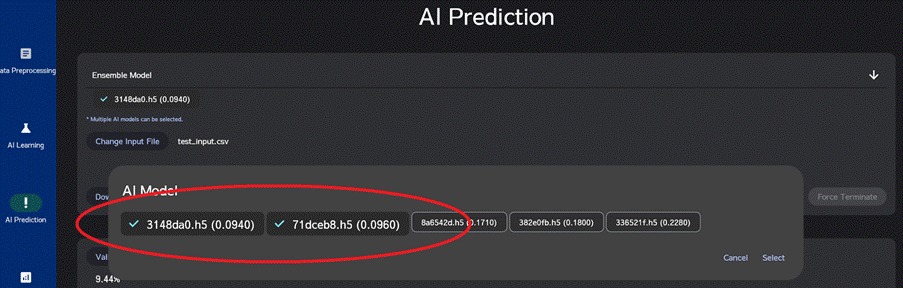
In AI prediction, factor analysis, and optimization, you have the option to combine multiple AI models created during training and to use their average predictions in an ensemble analysis. Particularly when dealing with limited data, ensemble analysis can potentially enhance prediction accuracy.
When you execute auto-tuning in AI training, it will generate 10 AI models. It is recommended to select approximately three AI models with the smallest errors from among these 10 models for ensemble analysis.
By using validation files in “AI Prediction” section, you can verify the prediction accuracy of different combinations of AI models, helping you identify the optimal combination of AI models while improving overall accuracy.