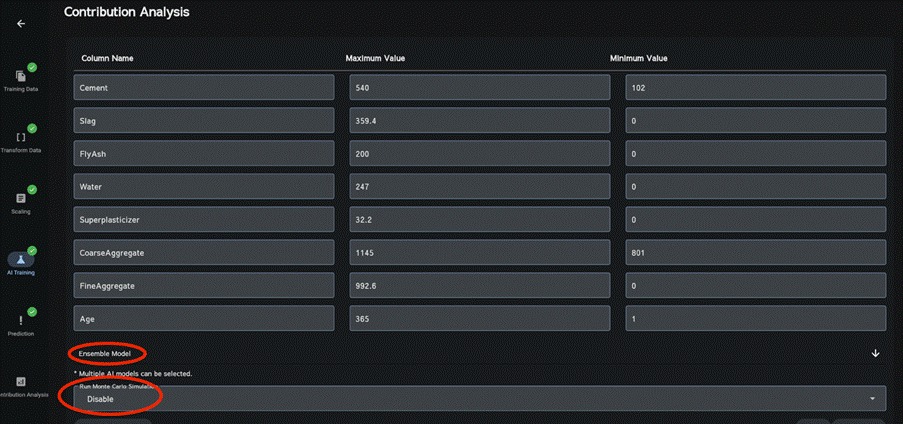
On the Contribution Analysis section, click “Ensemble Model” to select the AI models to use, choose whether to enable Run Monte Carlo Simulation simultaneously, and click Run. The factor analysis results will then be displayed.
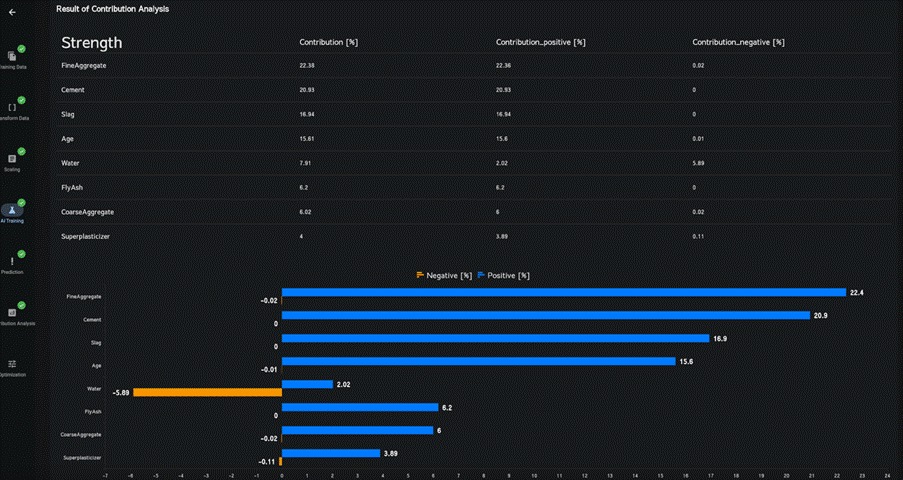
In the obtained results, you will find reference to “Contribution.” This indicates the degree of influence or impact that each independent variable has on each target variable. Additionally, within this context, “Positive contribution” and “Negative contribution” represent the positive and negative influences of each independent variable on each target variable, respectively. Keep in mind that altering the range (which includes the maximum and minimum values) of independent variables will affect the magnitude of their impact on the analysis outcomes.

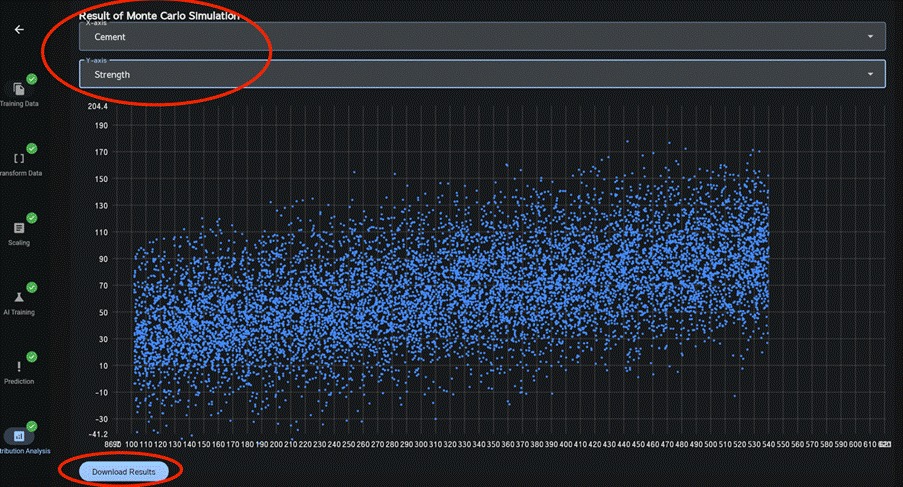
To display the Monte Carlo simulation results, select the corresponding X and Y axes.
Click Download Results to download the Monte Carlo simulation results.